The Teacher's Guides To
Technology And Learning
The Teacher's Guides To Technology And Learning by Edudemic are intended to offer teachers some of the best and most popular resources currently available.

In creating The Teacher's Guides To Technology And Learning, Edudemic has explored hundreds of resources in order to make their guides easy to read, use, and share.
The Teacher’s Guide To Flipped Classrooms
Because the flipped classroom is one of the most sought-after topics in terms of questions on social media, search queries, and more, Edudemic thought it would be useful to organize all of their many resources into one easy-to-use guide. It’s a curated list of many of the most useful flipped classroom resources.
The Teacher’s Guide To Copyright And Fair Use
Teaching students about copyright and fair use involves more than just telling them that they should be doing their own work, and not copying off the web. Plagiarism and copyright violations are significant issues in the classroom.
The Teacher’s Guide To The Library Of Congress
The Library of Congress is an incredible resource for teachers. The largest library in the world, it’s home to millions of books, recordings, photographs, and other materials, many of them original sources. This guide, written for teachers and education in general, promises to be an easy and solid resource to refer back to as needed.
The Teacher’s Guide To Choosing The Best Digital Content
Blended learning is becoming a noteworthy trend in education technology as teachers realize technology alone isn’t the 'magic bullet' of education. A blended learning environment means mixing technology with standard teaching practices in order to enhance education.
Other available guides:
The Teacher's Guides To Technology And Learning are always a work in progress. The current guides are always being updated and refreshed, and new guides are being developed.
DISCLOSURE OF MATERIAL CONNECTION: http://cmp.ly/0
Robin Krosinsky is a City Year New York Corps member serving at PS 154x in New York city. City Year New York corps members provide critically needed services to some of New York’s most underserved children and youth.
| I recently came across a good Web post by her titled A City Education: How One Special Math Problem Each Week Boosts Achievement. |
She and her colleagues decided they wanted to take action themselves to provide entertaining and challenging math activities. In January, one of Robin's teammates, Sam, started a school-wide math initiative called the Problem of the Week.
Every week, each grade (K-5) is given a new math problem to solve. The problems are based on the math curriculum for that grade. They decided to make most of them word problems.
Read Robin's full post here.

ClassroomWindow is based on a simple premise: teachers are the real experts and no one knows better than they do what works – or doesn’t work – in the classroom.

ClassroomWindow is a place where teachers' voices can be heard by publishers, product developers, and district decision makers. Teachers may share their expert opinions about the books, curricula, and tools they use daily.
ClassroomWindow taps the practical experience of potentially millions of educators working with classroom products on a daily basis, combining the breadth of crowd-sourcing with the depth of expert analysis and evaluation, finally allowing purchase decisions to be made based only on the effectiveness of educational products and services.

ClassroomWindow hopes the transparency created via their site will heighten competition among education vendors, leading to more effective products that better meet the needs of today’s classroom.
DISCLOSURE OF MATERIAL CONNECTION: http://cmp.ly/0

Good to Know is a site from Google with useful information about managing your online life.

There are four main areas of information on Good to Know:
Learn about phishing, malware, mobile security, cookies, IP addresses, and more. You can also find out about Google's five privacy principles that describe their approach to user privacy and information across all of their products. Link to Google's collection of privacy tools.
DISCLOSURE OF MATERIAL CONNECTION: http://cmp.ly/0
Learn to use graphing, scientific, and financial calculators more effectively with useful tips and tutorials from Calcblog.

Calcblog covers many calculator topics for students, educators, and working professionals, including basic math, calculus, finance, statistics, and data analysis. Students can also prep for such standardized tests as the SAT, GRE, and GMAT.

There are tutorials and tips in the following categories:

One of Calcblog’s primary goals is to be a resource for educators. There are many tips and suggestions for teachers on how to use the Calcblog website as a teaching tool.
DISCLOSURE OF MATERIAL CONNECTION: http://cmp.ly/0

Safari has been my browser of choice for quite some time now. I recently upgraded to Safari 5.1 even though I'm still running OS X 10.6 (Snow Leopard) on both my MacBook and iMac, and expect to continue this way for a bit. I use the Glims plugin for Safari which adds a bunch of really useful features to Safari, my favorites being address bar searching with keywords and adding additional search engines in the search box.
Unfortunately, some of the Glims plugin features were broken by the upgrade. Furthermore, I was having issues with Safari 5.1 seemingly leaking memory and beach-balling quite a lot after extended browsing.
Today I found this really simple (so long as you're comfortable with using Terminal) method for restoring Safari back to version 5.0.5 at Mac OS X Hints. I tried it and it seems to have worked fine. All the Glims features appear to be back and functioning.
Are QR Codes the Next Big Thing? I see a lot of questions in my Twitter stream on this subject. Rather than spotlight a specific website or product, the Catch of the Day is a little different today. I'm going to try to provide some information and answers about QR codes.

A QR Code is a two-dimensional graphic code, readable by QR code readers, often using mobile phones. The code consists of tiny black squares arranged in a square pattern on a white background. Information such as text, a URL, or other data can be encoded in a QR code image.

Scanning this image will display the above paragraph on your phone.
QR (Quick Response) codes originated in Japan where they are very common. They initially were used to track parts in vehicle manufacturing. They are now used to take information from an impermanent media, such as a magazine, a sign, a label, or a a poster and move it on to your mobile phone. Once the QR code is on your phone, you may see textual information displayed, be linked to a URL, or import vCard contact info directly into your phones address book.
QR codes can store and digitally present much more data (including URLs, GPS coordinates, text, etc) than a standard one-dimensional barcode. Another advantage of QR codes is that instead of requiring a dedicated hand-held scanner to read them, many mobile phones can scan and read them inherently or with free third-party apps.
On my iPhone, I use I-nigma as well as ATTScanner, and ShopSavvy (all free in the iTunes app store) to read QR codes. A list of QR code readers for the iPhone can be found here. For other phones try this list.
The use of QR codes is free of any license and anyone can visit any of several free QR code generating sites to create and print their own QR codes for others to scan and use.
Free online QR code generators: QRnote, Kaywa, Delivr, GOQR.ME
The use of QR codes in the educational community is in its infancy, but growing here are a few sources of ideas for using QR codes in the classroom:
If you have a novel use for QR codes in your classroom or school, please note it and share it in the comments.
Sources:
Wikipedia entry "QR codes", http://en.wikipedia.org/wiki/QR_Code
Marc Lyne, What Is A QR Code And Why Do You Need One?, Oct 15, 2009, http://searchengineland.com/what-is-a-qr-code-and-why-do-you-need-one-27588
Science Buddies provides a free venue where K-12 students, teachers, and parents can find project ideas as well as help in all science topics.

Science Buddies provides fun, intellectually-stimulating, cutting-edge science education resources such as …

If your goal is to find a fun science activity for your kids or to win the state science fair, Science Buddies quickly and easily gives you access to an abundance of tools, tips, and techniques.
Among Science Buddies' rich collection of Teacher Resources you'll find …

It's free to join Science Buddies. With membership, you will receive new project ideas, news about science competitions, science fair tips, and other science-related information.
DISCLOSURE OF MATERIAL CONNECTION: http://cmp.ly/0
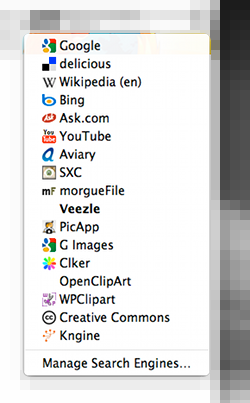
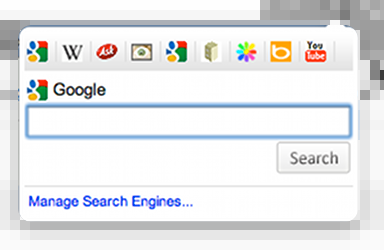
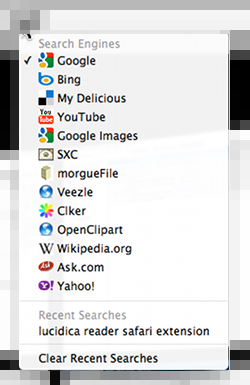
Did you know that you can customize the search engines available from the search box in Firefox, Chrome, and Safari? It's a fairly easy job to add searches from almost any site you want to each of these browsers.
Each browser has a somewhat unique way of accomplishing this. In each case, you'll need to download and install a free browser add-on or extension.

For Firefox, install the Add to Search Box 2.0 add-on.
Download it here
Adding search options in Firefox is the simplest. After installing the add-on (and restarting Firefox), just navigate to the site whose search you want to add and right-click in the site's search box. Choose Add to Search Bar…

In the dialog box, name the search and assign a keyword (optional), click OK.

You can disable the Add to Search Bar add-on after you've added the desired search tools.
For both Chrome and Safari, you need to first visit the site whose search you want to add and do a simple search. Copy the resulting URL from the address bar.


Install Chrome'sSearch Box extension.
Download it here
Click Search Box's magnifying glass toolbar button, then click Manage Search Engines…

At the bottom of the window enter a name for the item and paste the copied search URL. Before you click Add, replace the search term (peach in this example) in the URL with %s

See an alternative Chrome method here.

For Safari, you'll need the Glims plug-in installed.
Download it here
Safari works in a similar way to Chrome. Open Safari'sPreferences and click the Glims icon in the toolbar. Select Search Engines from the menu. Click the Add button.

Enter a name, replace the sample URL with the copied search URL. Before you click the Add button, replace the search term (peach) with the query placeholder
.

Add a keyword if you like.
The Glims plug-in also gives you access to a lot of other tools for customizing Safari.
Bookmarklets are simple free tools that extend the capabilities of web browsers. The term bookmarklet is a combination of the words bookmark and applet. Bookmarklets work in virtually any JavaScript-enabled browser and on any platform (Windows, Mac, etc). You do not have to download or install any additional software to use bookmarklets.

Bookmarklets are tiny JavaScript programs stored as bookmarks. Bookmarklets have access to the current page. Consequently, they can be simple "one-click" tools which add functionality to your browser, in the same manner as the typical browser add-on/extension.
You often have the choice of using either a browser-specific add-on/extension or a bookmarklet to perform the same function. In such cases, because I use multiple browsers (Chrome, Firefox, Safari, and IE) on both Mac and Windows machines, I almost always opt for the bookmarklet. Syncing bookmarks across my browsers (using Xmarks) means that once I've added a bookmarklet in any one browser, I now have access to that functionality in all my browsers. I don't have to try to locate add-ons for each browser (if any even exist) and install them individually.
Typically, a bookmarklet won't lose it's ability to function if your browser upgrades as can sometimes happen with add-ons. Adding a bookmarklet won't require a browser restart, either. Bookmarklets have a negligible effect on your browser's memory use since they are only executed on demand.

Bookmarklets are typically installed by dragging the bookmarklet onto your browser's link toolbar or by right-clicking the link, then clicking the bookmark option.
Here are links to some popular bookmarklets you might find useful ...
There are hundreds, perhaps thousands, of bookmarklets available for many uses. You might like to visit Collection of Google Bookmarklets for bookmarklets related to a number of Google services.
Yesterday, as I observed a sixth grade teacher, I had one of those simple ideas that sometimes flash into your consciousness from out of the proverbial blue.
FREE Quick References from Custom Guides
Image via Wikipedia
I read these tips from the series Empowering the Beginning Teacher in Mathematics, by Cynthia Thomas and felt that they were very worth sharing. Many beginning teachers have been convinced that if they try hard enough, everything will be wonderful. It simply isn't so. Kids are shaped and affected by a multitude of things which are far outside the ability of any teacher to totally overcome. You do the best you can.
10. Not every student will be interested every minute. No matter how much experience you have or how great you are at teaching, you will encounter times in the classroom when no student is interested! The solution is to change your tone of voice, move around the room, or switch from lecturing to some other activity. Maybe you can even use a manipulative to increase the students’ understanding and, possibly, their level of interest.
9. If a lesson is going badly, stop. Even if you have planned a lesson and have a clear goal in mind, if your approach is not working—for whatever reason—stop! Regroup and start over with a different approach, or abandon your planned lesson entirely and go on to something else. At the end of the day, be honest with yourself as you examine what went wrong and make plans for the next day.
8. Teaching will get easier. Maybe not tomorrow or even next week, but at some point in the year, your job will get easier! Try to remember your first day in the classroom. Were you nervous? Of course; all of us were. See how much better you are as a teacher already? By next year, you will be able to look back on today and be amazed at how much you have learned and how much easier so many aspects of teaching are!
7. You do not have to volunteer for everything. Do not feel that you always have to say yes each time you are asked to participate. Know your limits. Practice saying, “Thank you for thinking of me, but I do not have the time to do a good job with another task right now.” Of course, you must accept your responsibility as a professional and do your fair share, but remember to be realistic about your limits.
6. Not every student or parent will love you. And you will not love every one of them, either! Those feelings are perfectly acceptable. We teachers are not hired to love students and their parents; our job is to teach students and, at times, their parents as well. Students do not need a friend who is your age; they need a facilitator, a guide, a role model for learning.
5. You cannot be creative in every lesson. In your career, you will be creative, but for those subjects that do not inspire you, you can turn to other resources for help. Textbooks, teaching guides, and professional organizations, such as NCTM, are designed to support you in generating well-developed lessons for use in the classroom. When you do feel creative and come up with an effective and enjoyable lesson, be sure to share your ideas with other teachers, both veterans and newcomers to the profession.
4. No one can manage portfolios, projects, journals, creative writing, and student self-assessment all at the same time and stay sane! The task of assessing all these assignments is totally unreasonable to expect of yourself as a beginning teacher. If you want to incorporate these types of exercises into your teaching, pick one for this year and make it a priority in your classroom. Then, next year or even the year after that, when you are comfortable with the one extra assignment you picked, you can incorporate another innovation into your teaching.
3. Some days you will cry, but the good news is, some days you will laugh! Learn to laugh with your students and at yourself!
2. You will make mistakes. You cannot undo your mistakes, but berating yourself for them is counterproductive. If the mistake requires an apology, make it and move on. No one is keeping score.
1. This is the best job on earth! Stand up straight! Hold your head high! Look people in the eye and proudly announce, “I am a teacher!”